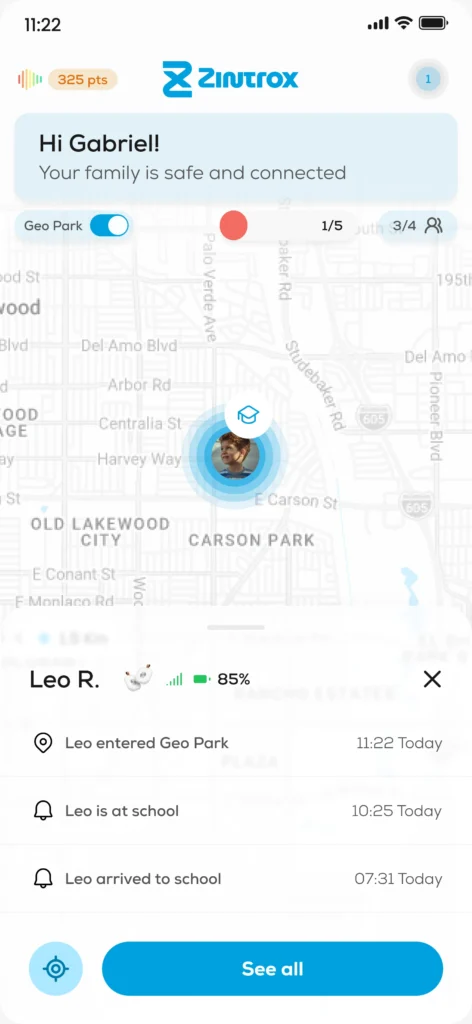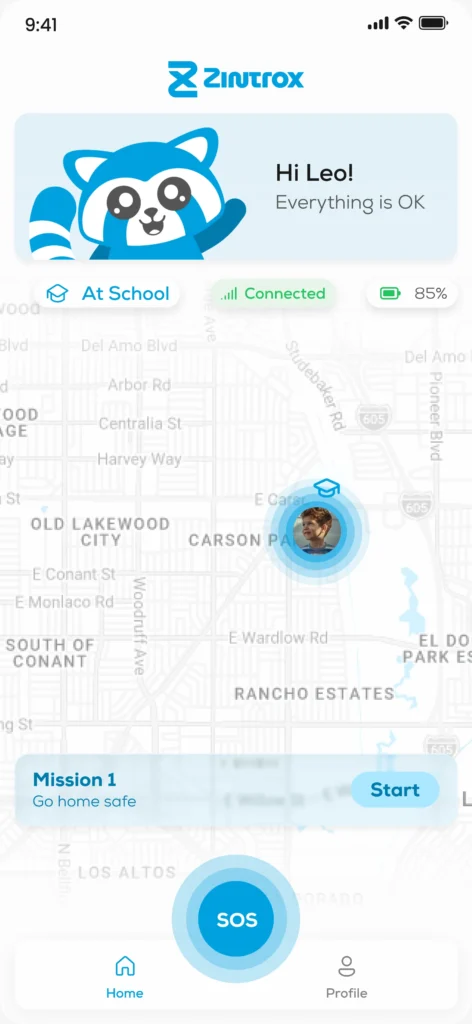
Sharing location can bring a family closer or push it apart. The difference is rarely the technology. It’s how the family decides to use it. These five principles keep the focus on protection, not surveillance.
1. Ask first, always
Location sharing should start with a yes. Explain what will be shared and why, then listen to the answer. In Zintrox, location is shared only after each person allows it.
2. Choose who sees what
Not everyone needs to see everything. Decide together who sees live location, who sees device status and who gets each alert. In Zintrox, you set these choices person by person.
3. Alerts for places, not a map to watch
Watching a dot on a map all day is stressful for you, and it feels like being watched for them. Set alerts for the few places that matter, then put the phone down. With Safe Zones, you get alerts only for the places that matter to you.
4. Know where your data goes
Before you share your family’s location with any app, ask how it’s used. At Zintrox, your family’s location is never sold, to advertisers or anyone else. Our Data Retention + Deletion policy explains how deletion works.
5. Let the rules grow with your kids
What fits an eight-year-old won’t fit a teenager. Review your choices together as your child grows. In Zintrox, parents and guardians can manage family permissions, invite or remove members, turn off location sharing and delete profiles.
Write a simple family agreement
Put it in a few lines: what you share, with whom, and when you’ll review it. Keep it where everyone can see it. A short agreement made together prevents most arguments later. For the details, read our Children + Family Privacy Policy.
Questions
Does Zintrox sell my family’s location?
No. Never. Your family’s location is never sold, to advertisers or anyone else.
Who can see my family’s location?
Location is shared only after each person allows it. Then you choose who sees what: live location, device status and every alert, set person by person.
How do I delete my data?
The Data Retention + Deletion policy explains how deletion works. You can also write to support@zintrox.com.